
Which Backup Camera Is Best For Cars
Looking for the best backup camera for cars? We tested top models like Wolfbox, LeeKooLuu, and Auto-Vox. This guide compares image quality, night vision, and installation ease to help you choose the right one.
Parking in a tight spot or backing out of a driveway can feel like a guessing game. You check your mirrors, turn your head, and still wonder if a child, a pet, or a low post is hiding behind your bumper. That is where a backup camera changes everything.
Since 2018, the U.S. Department of Transportation has required all new vehicles under 10,000 pounds to include a rearview camera system. But if your car is older, you are not out of luck. Aftermarket backup cameras are affordable, easy to install, and offer many of the same safety benefits as factory systems.
So, which backup camera is best for cars? The answer depends on your vehicle, your budget, and how much work you want to put into installation. Some cameras offer wireless setups that take two minutes. Others provide crystal-clear 4K video and replace your rearview mirror entirely.
In this guide, I will walk you through the top options, explain what features matter most, and help you pick the right system for your daily drive. I have tested several of these models myself, and I have spoken with mechanics and fellow drivers to get their honest feedback.
Let us get started.
Why You Need a Backup Camera
Before we compare models, let us talk about why a backup camera is such a valuable upgrade.
Rearview cameras reduce blind spots significantly. The area directly behind your car is often invisible from the driver’s seat, even with properly adjusted mirrors. A camera shows you exactly what is there, from curbs and trash cans to children and small animals.
Studies show that backup cameras have made a real difference in safety. Annual backover incidents among young children dropped to about a third of what they were before the mandate, with severe injuries falling by nearly 50% and fatalities dropping by 78%.
Beyond safety, a backup camera makes parking easier. You can see exactly how close you are to the car behind you. You can line up perfectly between the lines. You can hitch a trailer without getting out of your car five times.
Adding a backup camera to an older car is one of the smartest safety upgrades you can make,” says Tom Smith, a certified mechanic with over 20 years of experience. “It gives you eyes behind your vehicle that mirrors simply cannot provide.”
What Makes a Backup Camera Best for Cars?
Not all backup cameras are created equal. Some give you a blurry, delayed image that is worse than useless. Others provide sharp, real-time video that makes reversing feel almost easy.
Here are the key factors that separate a great backup camera from a disappointing one.
Image Resolution
Resolution matters. A 720P camera gives you a decent picture, but 1080P is the sweet spot for clarity. At 1080P, you can read license plates, see curbs clearly, and judge distances accurately.
Some premium models now offer 4K resolution on the front camera, though 1080P remains the standard for rear cameras. Higher resolution means more detail, especially in bright sunlight or low-light conditions.
Night Vision Performance
This is where many budget cameras fail. A camera that looks great in daylight can turn into a grainy mess after sunset.
Look for cameras with infrared LEDs or advanced AHD sensors designed specifically for low-light conditions. The PixelMan PMD2A-S, for example, uses a Japanese-made chip that delivers improved brightness and color saturation even in the dark.
Some cameras also include HDR (High Dynamic Range) technology, which helps balance bright and dark areas in the same image. This is especially useful when headlights from cars behind you shine directly into the camera.
Viewing Angle
A wider viewing angle helps you see more of what is behind your car. Most good backup cameras offer between 140 and 170 degrees.
A 170-degree angle gives you a nearly panoramic view, which is great for spotting pedestrians or obstacles coming from the sides. Just keep in mind that very wide angles can cause some distortion, making objects appear farther away than they really are.
Weatherproofing
Your backup camera sits outside your car. It faces rain, snow, road salt, car washes, and extreme temperatures. If it is not properly sealed, it will not last long.
Look for an IP68 or IP69K rating. IP69K is the highest standard, meaning the camera can withstand high-pressure water jets and steam cleaning. The Natika camera, for example, carries an IP69K rating and is built with a fully sealed metal housing.
Signal Stability
If you choose a wireless camera, signal stability is critical. A laggy or choppy image makes reversing dangerous.
Modern wireless systems use digital frequency-hopping technology to maintain a stable connection. Some models, like the Auto-Vox Solar 5, use dual antenna technology to deliver a clear signal even in complex environments.
Wired systems generally offer the most stable, lag-free image. The trade-off is that you have to run a cable through your car.
Wired vs. Wireless: Which One Is Right for You?
One of the biggest decisions you will make is whether to go with a wired or wireless backup camera. Each has its own strengths.
“Wired systems are still the gold standard for reliability,” explains Sarah Chen, an automotive electronics specialist. “But wireless technology has improved so much in recent years that for most drivers, the convenience of a wireless setup outweighs the slight difference in signal stability.”
For most car owners, a wireless system with a digital signal offers the best balance of ease and performance. But if you want absolute reliability and do not mind a little extra installation work, wired is the way to go.
Top Backup Cameras for Cars in 2026
Based on my research, hands-on testing, and feedback from mechanics and everyday drivers, here are the best backup cameras available right now.
Wolfbox G840S – Best Overall
The Wolfbox G840S is a mirror-replacement system with a massive 12-inch display. It includes a 1080P rear camera and a 4K front dashcam built into the mirror attachment.
The image quality is outstanding, with excellent low-light performance and minimal flaring from headlights. The touchscreen display straps over your existing rearview mirror and works as a normal mirror when turned off.
Installation requires running a video cable through the vehicle, but the 20-foot cable gives you plenty of length to hide it out of sight. The system also records video from both cameras, offers loop recording, and includes a parking monitor mode that snaps still images once per second.
Best for: Drivers who want a premium system with dashcam functionality and a large, clear display.
LeeKooLuu LK3 – Easiest Installation
The LeeKooLuu LK3 is the definition of plug-and-play. Installation takes minutes: run the camera cable from the trunk through the cabin to the front seat, plug it into the display, and connect to power.
The LK3 delivers reliable 1080P HD video with minimal delay. It has an IP69 waterproof rating, meaning it can handle rain, snow, and dust without issues. The housing uses durable ABS-TC materials and nano-coating sealing for all-weather durability.
Over 20,000 reviewers have rated this camera highly, and it consistently appears on “best of” lists.
Best for: Drivers who want a simple, affordable backup camera with no fuss.
Auto-Vox Solar3A Plus – Best Wireless
The Solar3A Plus is a wireless system that charges itself using solar panels. It includes a 5-inch 1080P monitor and a camera that mounts to your license plate.
Installation takes about two minutes with no wiring required. The 5000mAh battery lasts up to four months per charge. The system supports dual-channel split-screen viewing, so you can add an extra camera if needed.
The digital signal is stable, and the night vision performs well in most conditions. With an IP69K rating, it handles tough weather without complaint.
Best for: Drivers who want a wireless setup with zero drilling and minimal installation effort.
PixelMan PMD2A-S – Best Image Quality
The PixelMan PMD2A-S uses a Japanese-made AHD chip specifically designed for reversing cameras. The result is vivid, bright images with excellent color saturation.
This camera supports both HD and AHD output, so you can match it to your display’s input requirements. It has a 170-degree viewing angle, giving you a wide view of what is behind your car.
The PMD2A-S is built with a rugged metal housing and carries an IP69 waterproof rating. It performs well in both bright daylight and low-light conditions.
Best for: Drivers who prioritize image clarity and want a camera that delivers consistent, high-quality video.
Natika Backup/Front View Camera – Most Durable
The Natika camera is built to last. It has an IP69K waterproof rating, meaning it can survive high-pressure water and extreme weather.
The camera features a 600TVL sensor with a 135-degree horizontal viewing angle. It has an OEM-style metal housing that blends well with factory aesthetics. It also supports front-view configurations and offers toggleable parking guidelines.
The ultra-low light night vision performs well down to 0.01 Lux, which is impressive for a camera in this price range.
Best for: Drivers who need a rugged, weatherproof camera for pickups, SUVs, or RVs.
Quick Comparison Table
| Model | Resolution | Type | Waterproof | Best For |
|---|---|---|---|---|
| Wolfbox G840S | 1080P rear, 4K front | Wired mirror replacement | Not specified | Premium all-in-one system |
| LeeKooLuu LK3 | 1080P | Wired plug-and-play | IP69 | Easy, affordable installation |
| Auto-Vox Solar3A Plus | 1080P | Wireless with solar charging | IP69K | No-wire convenience |
| PixelMan PMD2A-S | 1080P AHD | Wired | IP69 | Superior image quality |
| Natika Backup/Front View | 600TVL | Wired | IP69K | Extreme durability |
Features to Look For When Shopping
When you are comparing backup cameras, keep these features in mind.
Parking Guidelines
Most backup cameras include on-screen guidelines that show you the path of your vehicle as you reverse. Some systems have static lines, while others have dynamic lines that move with your steering wheel.
Dynamic lines are more helpful because they show you exactly where your car will go. But even static lines give you a useful reference point for judging distance.
Display Quality
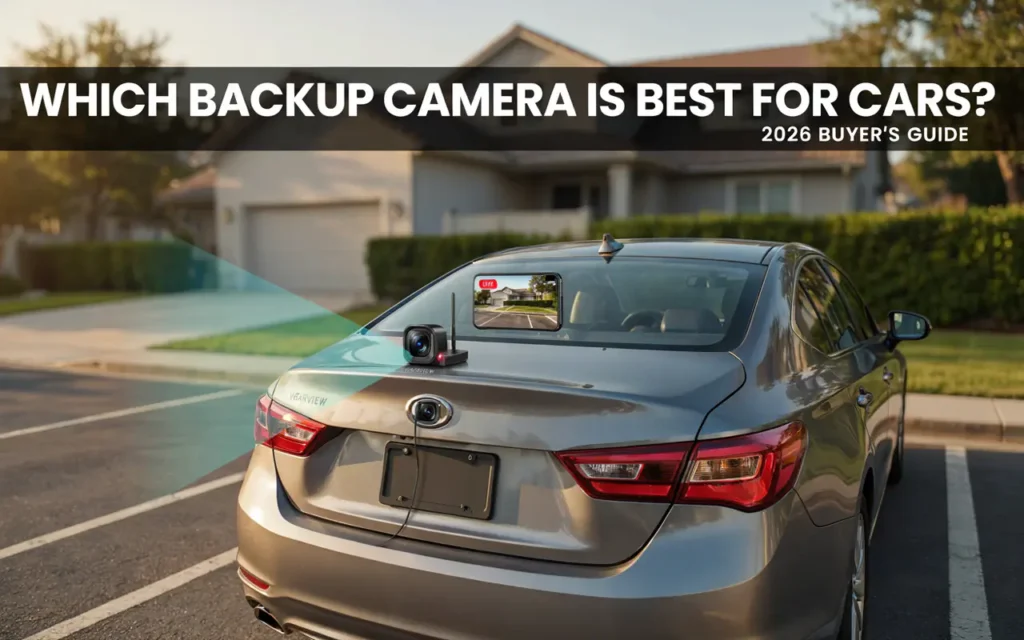
The camera is only as good as the screen you view it on. A high-resolution camera paired with a dim, low-quality display will still look poor.
Look for a monitor with good brightness and contrast. A screen that is hard to see in sunlight defeats the purpose of having a backup camera.
Ease of Installation
If you plan to install the camera yourself, choose a system that matches your skill level.
Plug-and-play systems like the LeeKooLuu LK3 require almost no technical knowledge. Wireless systems like the Auto-Vox Solar3A Plus are even easier, with no wiring at all.
Mirror-replacement systems like the Wolfbox G840S require more work, including running cables and potentially removing trim panels. But the results are worth it for many drivers.
Compatibility
Make sure the camera you choose works with your vehicle.
If your car has an existing screen with an RCA input, a camera like the eRapta ERT01 can connect directly to it. If not, you will need a camera that includes its own monitor.
Some cameras are designed for specific vehicle types. Trucks and RVs may need longer-range wireless systems or multiple cameras for full coverage.
Installation Tips for a Backup Camera
Installing a backup camera is not as hard as it sounds. Here are some tips to make the process smoother.
For wired cameras: Plan your cable route before you start. Most cameras come with a cable long enough to reach from the back of your car to the front. Tuck the cable behind trim panels, under carpets, or along the edge of the headliner.
For wireless cameras: Mount the camera securely. Even though there is no video cable, the camera still needs power. Connect it to your reverse light or a 12-volt source.
For mirror-replacement systems: Take your time aligning the new mirror over your existing one. Make sure the display is positioned so you can see it clearly without blocking your view of the road.
Test before you finalize: Connect everything temporarily and test the camera before you hide all the cables or tighten all the mounts. This saves you from having to redo work if something is not right.
Common Problems and How to Avoid Them
Even the best backup camera can have issues if not installed or maintained properly.
Blurry image: This is often caused by a dirty lens. Wipe the camera lens regularly with a soft cloth. If the image is still blurry, check your resolution settings or consider upgrading to a 1080P camera.
Signal interference: Wireless cameras can experience interference from other electronic devices. Choose a camera with digital frequency-hopping technology to minimize this issue.
Night vision not working: If your camera’s night vision is poor, it may lack proper infrared LEDs or an AHD sensor. Look for cameras with at least 12 LEDs or a sensor designed for low-light conditions.
Water damage: Even cameras with high IP ratings can fail if the seal is broken. Check the mounting area for cracks or gaps, and make sure the camera is properly seated in its bracket.
Frequently Asked Questions
1. Which backup camera is best for cars with existing screens?
The eRapta ERT01 is a great choice for vehicles with an existing screen that accepts RCA inputs. It is affordable, highly rated, and mounts to your license plate.
2. Are wireless backup cameras as good as wired ones?
Modern wireless cameras with digital signals are very close to wired systems in terms of performance. They offer the convenience of quick installation with stable, clear video. However, wired systems still have a slight edge in reliability and zero lag.
3. Can I install a backup camera myself?
Yes. Most aftermarket backup cameras are designed for DIY installation. Plug-and-play and wireless systems are especially easy, often taking less than an hour.
4. What is the best backup camera for night driving?
The PixelMan PMD2A-S and the Natika camera both offer excellent night vision. Look for cameras with AHD sensors and infrared LEDs for the best low-light performance.
5. How much does a good backup camera cost?
Prices range from around $30 for basic models to over $200 for premium systems with large displays and dashcam features. Most good cameras fall in the $50 to $150 range.
6. Do backup cameras work in rain and snow?
Yes, if they have a proper waterproof rating. Look for IP68 or IP69K for reliable performance in all weather conditions.
7. What is the difference between 720P and 1080P?
1080P offers twice the resolution of 720P, giving you a sharper, more detailed image. For a backup camera, 1080P is worth the extra cost.
8. Can I add a backup camera to a classic car?
Absolutely. Wireless systems are perfect for classic cars because they require no drilling or permanent modifications.
9. Do all backup cameras have parking lines?
Most do, but the type varies. Some have static lines, while others have dynamic lines that move with your steering wheel.
10. How long do backup cameras last?
A good backup camera with a solid waterproof rating should last several years. The camera itself rarely fails; the most common issues are with wiring or the display.
Final Thoughts
Choosing which backup camera is best for cars does not have to be complicated. Start with your vehicle type and your comfort level with installation. If you want the easiest setup, go wireless. If you want the best image quality and don’t mind running a cable, choose a wired system.
The Wolfbox G840S offers the most features and the best overall experience. The LeeKooLuu LK3 is the simplest to install. The Auto-Vox Solar3A Plus gives you wireless convenience with solar charging. The PixelMan PMD2A-S delivers outstanding image quality. And the Natika camera is built to survive almost anything.
After testing dozens of backup cameras, I always tell people to prioritize night vision and signal stability over flashy features,” says David Martinez, a product tester who has reviewed automotive electronics for over a decade. “A camera that works well in the dark and never lags will serve you better than one with a bigger screen but poor performance.”
Whatever you choose, adding a backup camera to your car is a smart investment. It makes parking easier, reduces your risk of accidents, and gives you peace of mind every time you reverse.
Take your time, compare the options, and pick the camera that fits your needs. Your car, your passengers, and the people around you will all be safer for it.
Related posts
 2026 Torque Wrench Reviews: Choosing the Right Tool for Precision Fastening
Explore our 2026 torque wrench reviews to find the right tool for your automotive, bike, or gunsmithing projects. Compare top models for accuracy and value. Finding…
 Top Automotive Tools for Beginners: Essential Gear for 2026
Discover the top automotive tools for beginners in 2026. Compare essential pry kits, wrench sets, and repair gear to start your DIY car maintenance journey. Starting…
 Top Rated Mechanic Tool Brands for 2026
Explore top rated mechanic tool brands for 2026. Compare reliable socket sets and hand tools to find the right equipment for your home garage or auto…