
How Do You Use An OBD2 Scanner
Learn to use an OBD2 scanner correctly. This simple guide shows you how to use an OBD2 scanner to read diagnostic trouble codes, reset the check engine light, and understand your car’s health without any experience.
That little orange or yellow light on your dashboard. The one that looks like an engine. It turns on, and suddenly you feel worried. Is something broken? Will it cost a lot to fix? I have been there many times. The good news is you do not need to rush to a mechanic right away. You can check the problem yourself with a small tool called an OBD2 scanner. Learning to use an OBD2 scanner is easier than most people think. In this guide, I will show you exactly how to do it, step by step. No fancy words. No confusing terms. Just simple help from someone who has done this many times.
Let me share a quick story. A few years ago, my check engine light came on while I was driving home from work. I felt nervous. I thought about expensive repairs. Then a friend handed me his OBD2 scanner and showed me how to plug it in. In less than five minutes, I learned the problem was just a loose gas cap. I tightened it, cleared the code, and the light went away. That small experience saved me a trip to the shop and at least 100 dollars. From that day, I decided to buy my own scanner. Now I want to help you do the same.
“Most car owners ignore the check engine light for weeks because they are afraid of what they might find. But knowing the problem early almost always saves money.” – Sarah Martinez, Certified Automotive Diagnostic Technician.
What is an OBD2 Scanner?
OBD2 stands for On-Board Diagnostics, second generation. Every car made after 1996 in the United States has this system. Cars in Europe followed after 2001, and other regions have similar rules. The OBD2 system monitors your engine, transmission, emissions, and many other parts. When something goes wrong, the system stores a trouble code in its computer. The check engine light turns on to tell you.
An OBD2 scanner is a small device that reads those codes. It connects to a port in your car, usually under the steering wheel. Then it shows you the codes on a small screen or sends them to your phone. Some scanners are very basic and only show a code like P0300. Others give you a full description, live data, and even tell you possible fixes. But for most people, a simple scanner is enough to use an OBD2 scanner effectively.
Think of it like this. Your car speaks a language you do not understand. The OBD2 scanner translates that language into English. It tells you exactly what your car is trying to say. That is why learning to use an OBD2 scanner gives you so much power over your car maintenance.
Why You Should Learn to Use an OBD2 Scanner
You might wonder, why bother learning this? Here are a few good reasons.
First, you save money. A mechanic might charge you 80 to 150 dollars just to read the codes. That is before they fix anything. When you use an OBD2 scanner yourself, that cost goes to zero. You buy a scanner once for 20 to 100 dollars, and you can use it forever on any car.
Second, you avoid getting cheated. Some dishonest shops might tell you that you need a big repair when the problem is small. When you know the code yourself, you can check online or ask a trusted mechanic for a second opinion. You become an informed customer.
Third, you catch problems early. A small issue like a bad oxygen sensor can turn into a broken catalytic converter if you ignore it. That repair costs thousands. Reading codes right away helps you fix small things before they become big things.
Fourth, you feel more confident. Cars can be scary. But when you learn to use an OBD2 scanner, you take control. You understand what is happening under the hood. That feeling is worth a lot.
“Diagnosing car problems does not require a degree in engineering. It requires curiosity and the right tools. An OBD2 scanner is the first tool every car owner should buy.” – Michael Chen, Auto Repair Shop Owner with 25 years experience.
What You Need Before You Start
Before you learn how to use an OBD2 scanner, let us gather the right things. You do not need much.
Types of OBD2 Scanners and Their Features
| Scanner Type | Price Range | Best For | Key Features |
|---|---|---|---|
| Basic Code Reader | $20 – $50 | Beginners reading simple codes | Shows code numbers, clears check engine light, no live data |
| Bluetooth Scanner | $15 – $40 | People with smartphones | Connects to phone apps, shows live data, saves history |
| Mid-Range Scanner | $50 – $150 | DIY home mechanics | Displays code definitions, live graphs, freeze frame data |
| Professional Scanner | $200 – $1000+ | Shop owners or serious enthusiasts | Bi-directional controls, special functions, ABS and airbag codes |
For most people reading this guide, a basic code reader or a Bluetooth scanner is perfect. I recommend starting with a Bluetooth scanner that works with an app like Torque (for Android) or OBD Fusion (for iPhone). These apps make it very easy to use an OBD2 scanner because they show clear explanations and even possible fixes.
Here is what else you need:
- A car with a check engine light on. You can practice even if the light is off, but you will not see any codes.
- The key for your car. You need to turn the ignition to the “on” position.
- A pen and paper. Write down the codes before you clear them. You might need them later.
- Your phone if you are using a Bluetooth scanner. Download the app first.
That is it. No tools. No gloves. No special skills.
How to Use an OBD2 Scanner Step by Step
Now we get to the main part. Follow these steps carefully. I will walk you through everything.
Step 1: Find the OBD2 Port in Your Car
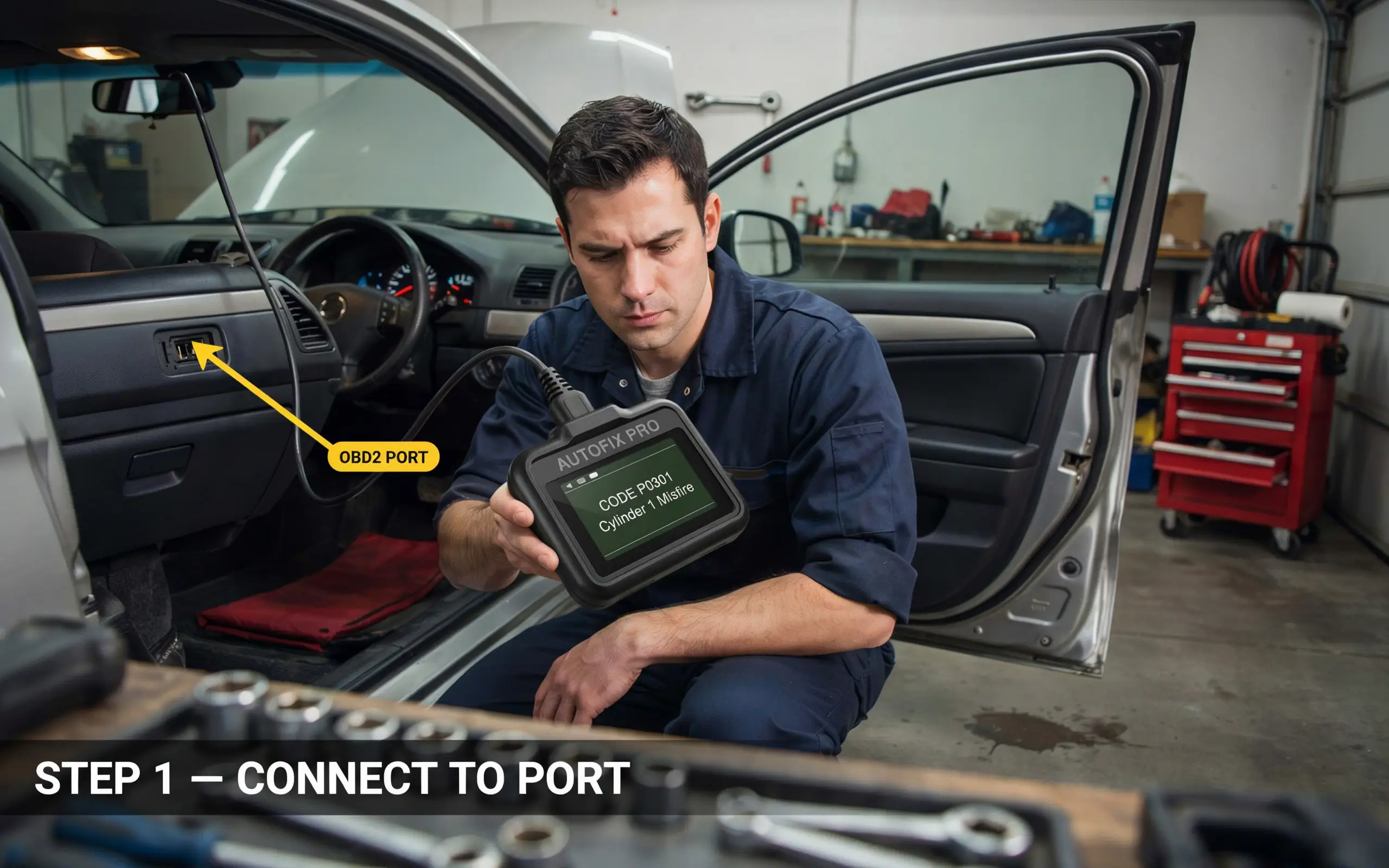
The first step to use an OBD2 scanner is finding where to plug it in. The OBD2 port is a small, rectangular connector with 16 holes in a specific pattern. It looks a bit like a computer printer port but smaller.
Where is it? In almost every car, you will find it under the dashboard on the driver’s side. Look near your knees when you sit in the driver seat. Check these spots:
- Directly under the steering wheel, maybe behind a small cover.
- To the left of the steering wheel, near the hood release lever.
- To the right of the steering wheel, above the gas pedal.
- In some cars, behind an ashtray or a small door that you pop open.
Do not worry if you cannot find it right away. Look up your car model online. Or get a flashlight and look around. The port is always within two feet of the steering wheel. Once you find it, you are ready for the next step.
Step 2: Plug in the Scanner
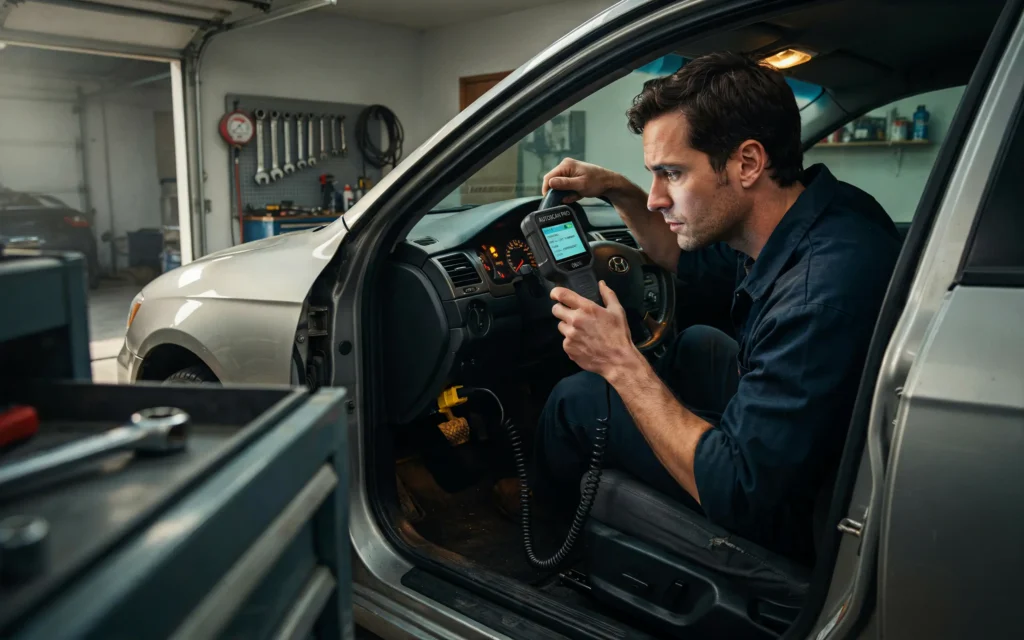
Take your OBD2 scanner. Look at the connector end. It has a specific shape that only goes in one way. Line up the shape with the port in your car. Push it in firmly until you feel a click. The scanner should now be connected.
If you are using a Bluetooth scanner, plug it in and leave it there. If you have a wired scanner with a screen, let the cable hang down. Make sure it does not get in the way of your pedals.
Some scanners have a small light that turns on when they get power. If your light does not turn on, push the connector harder. It should fit snugly. You might hear a small click from the locking tabs.
“When you first plug in a scanner, many people are too gentle. These connectors are made to be pushed firmly. Do not be afraid to apply a little pressure.” – Robert Hayes, ASE Master Mechanic.
Step 3: Turn the Ignition On
Now you need to give power to the OBD2 system. Insert your car key into the ignition. Turn it to the “on” position. This is the position right before you start the engine. You will see all the dashboard lights turn on. But do not start the engine.
Why not start the engine? For reading codes, the engine does not need to run. The car’s computer has power as soon as you turn the key to “on”. Some scanners work with the engine running too, but it is not necessary. Starting the engine can sometimes cause extra noise or make it harder to focus on the codes.
If your car has a push-button start, press the button once without your foot on the brake. That puts the car in “accessory” or “on” mode. Check your owner manual if you are unsure.
Step 4: Read the Codes
Now your scanner has power. Look at its screen or open your phone app. Every scanner works a little differently, but the basic steps are almost the same.
On a basic scanner with buttons:
- Press the “Read” button. Sometimes it says “Scan” or has a check engine icon.
- Wait a few seconds. The scanner talks to your car’s computer.
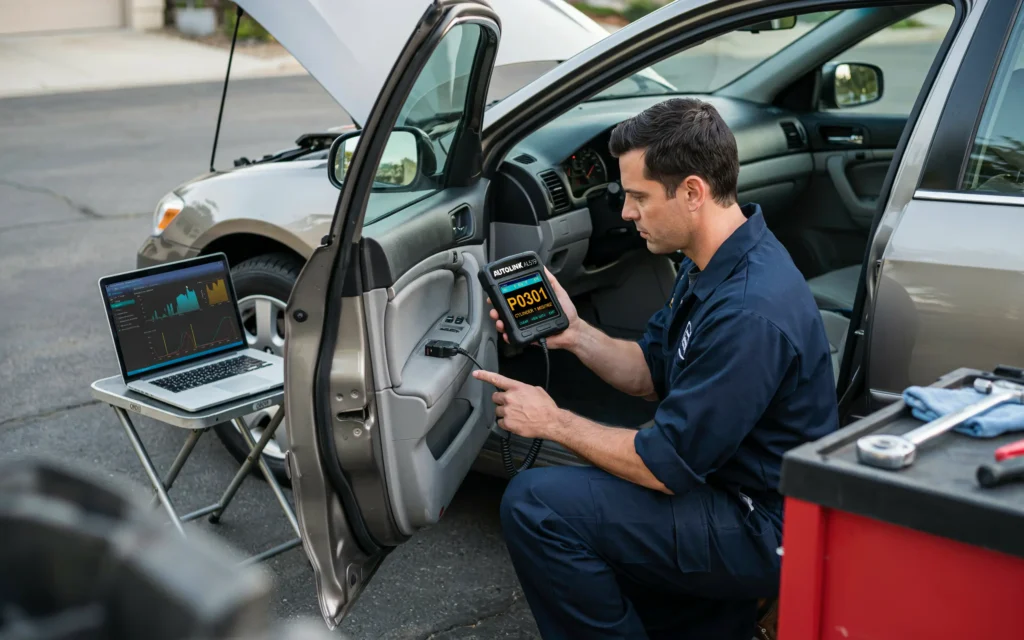
- The screen will show a code like P0301 or P0420. It might show multiple codes.
- Write down every code that appears.
On a Bluetooth scanner with an app:
- Open the app on your phone.
- Look for a button that says “Read Codes” or “Scan”.
- Tap it. The app will show a list of codes.
- Tap each code to see a description and possible causes.
This is the most exciting part. You finally learn what your car has been trying to tell you. Do not worry if you do not understand the code yet. Just write it down. You can look it up later.
Step 5: Interpret the Codes
Now you have a code like P0300 or P0420. What does it mean? Let me explain the format. All standard OBD2 codes have five characters.
The first character is a letter:
- P means Powertrain (engine and transmission)
- B means Body (airbags, seats, doors)
- C means Chassis (brakes, suspension)
- U means Network (communication between computers)
The second character is a number:
- 0 means standard code (same for all cars)
- 1 means manufacturer specific code (different for Ford, Toyota, etc.)
The third character tells the system:
- 1 or 2 for fuel and air metering
- 3 for ignition system
- 4 for emissions control
- 5 for vehicle speed and idle control
- 6 for computer output circuits
- 7 or 8 for transmission
The last two numbers are the specific problem.
For example, code P0301 means: P (Powertrain), 0 (standard), 3 (ignition system), 01 (cylinder number 1 misfire). So cylinder 1 is misfiring.
To interpret your code, you have a few options. You can search online for “[your code] explanation”. You can look in your scanner app if it shows descriptions. Or you can use a free website like OBD-Codes.com. Write down the description and possible causes.
Remember, one code can have many possible causes. Do not just buy a part because the code says something like “oxygen sensor”. That sensor might be fine. The problem could be a vacuum leak or a wiring issue. Use the code as a starting point, not a final answer.
Step 6: Clear the Codes (If Needed)
After you read and write down the codes, you can clear them. Clearing turns off the check engine light. But be careful. Only clear the codes if you have fixed the problem. If you clear without fixing, the light will come back on after a few driving cycles.
To clear codes on most scanners:
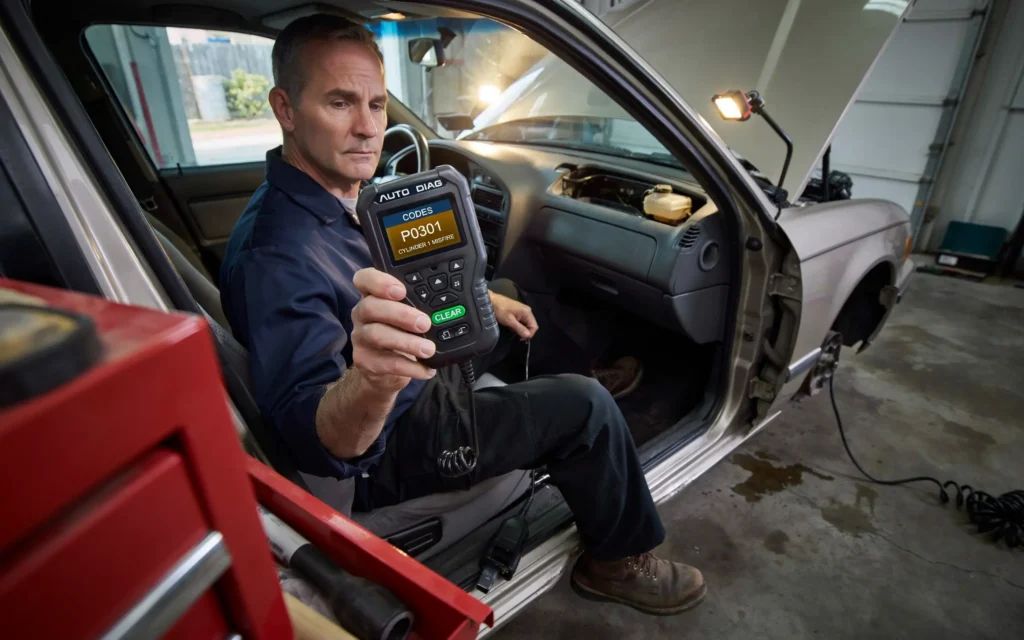
- Press the “Clear” or “Erase” button.
- Confirm that you want to clear the codes.
- Wait for the scanner to say “Done” or “Cleared”.
- Turn the ignition off, unplug the scanner, and start your car.
The check engine light should be off. If it stays off, great. If it comes back on right away, the problem is still there. Read the codes again.
A note about clearing codes. Do not clear codes right before an emissions test (smog check). The car’s computer stores a “readiness monitor” history. If you clear codes, those monitors reset to “not ready”. You will fail the test. You need to drive the car for a few days to get the monitors ready again.
Common Problems When You Use an OBD2 Scanner
Sometimes things do not go smoothly. Here are a few common issues and how to fix them.
The scanner does not turn on. First, check that the ignition is in the “on” position. Second, push the connector in harder. Third, check your car’s fuse for the cigarette lighter or OBD port. Some cars share that fuse.
The scanner says “Link Error” or “No Communication”. This often happens with older cars or aftermarket stereos. Try turning the ignition off, waiting ten seconds, and trying again. Sometimes a bad fuse or a broken wire in the OBD port causes this. You might need a mechanic to check the port.
You get many codes at once. Do not panic. Start with the first code. Fix that one first, clear codes, and see what remains. Often one problem causes many codes.
The check engine light is on but the scanner shows no codes. This is rare. It could mean the light bulb is stuck, or the problem is not emission-related. Some hybrid cars or European cars have special systems. Try a different scanner.
Common OBD2 Trouble Codes and What They Mean
| Code | Common Description | Likely Causes |
|---|---|---|
| P0420 | Catalyst System Efficiency Below Threshold | Bad catalytic converter, bad oxygen sensor, exhaust leak |
| P0300 | Random Misfire Detected | Bad spark plugs, bad ignition coils, vacuum leak |
| P0171 | System Too Lean (Bank 1) | Vacuum leak, dirty mass air flow sensor, low fuel pressure |
| P0455 | Evaporative Emission System Leak (Large) | Loose gas cap, cracked hose, bad purge valve |
| P0135 | O2 Sensor Heater Circuit (Bank 1, Sensor 1) | Bad oxygen sensor, blown fuse, wiring problem |
Tips for Getting Accurate Results
To get the most out of your scanner, follow these simple tips.
First, always read codes with the engine off but the ignition on. That gives you the stored codes without new ones appearing.
Second, write down every code before you clear anything. Once you clear, the history is gone. If you forget to write, you lose valuable information.
Third, check freeze frame data if your scanner has it. Freeze frame is a snapshot of what the engine was doing when the code triggered. It shows engine speed, coolant temperature, fuel trim, and more. This data helps you diagnose much faster.
Fourth, clear codes and then drive the car normally. See if the code comes back. Some codes are “pending” codes that only happen once. If it does not come back, ignore it.
Fifth, do not buy parts based only on a code. A code is a symptom, not a diagnosis. For example, P0171 (lean condition) could be a vacuum leak, a dirty air filter, a bad fuel pump, or a bad oxygen sensor. If you replace the oxygen sensor and the problem was a vacuum leak, you wasted money. Always do more tests or ask for help.
“Many people buy oxygen sensors and catalytic converters because they saw a code online. But in my shop, less than half of those codes actually mean the part is bad. The code tells you where to look, not what to replace.” – Lisa Wong, Automotive Engineer and Instructor.
Frequently Asked Questions
Can I use an OBD2 scanner on any car?
Most cars made after 1996 in the US work. In Europe, look for cars after 2001. Diesel cars sometimes have different rules. Check your owner manual or look for the OBD2 port. If you find the port, you can use an OBD2 scanner on that car.
Do I need a professional scanner for my car?
No. A basic 20 to 50 dollar scanner works fine for reading and clearing codes. Professional scanners add features like ABS bleeding, airbag resets, and bi-directional controls. Most home users never need those.
Will using a scanner damage my car?
Not at all. The scanner only reads data. It does not change anything. You cannot hurt your car by plugging in a scanner. The only risk is clearing codes before you write them down.
How often should I use an OBD2 scanner?
You do not need to scan regularly. Only scan when the check engine light comes on. Some people scan once a month as a checkup. That is fine but not necessary. If you want to use an OBD2 scanner for preventive maintenance, look at live data like coolant temperature and fuel trims.
Can the scanner tell me exactly what to fix?
No scanner can give you a 100 percent certain fix. The code points you in a direction. For example, code P0302 says cylinder 2 is misfiring. But the cause could be a spark plug, ignition coil, fuel injector, or low compression. You still need to do some thinking or testing.
What does “pending code” mean?
A pending code is a problem that happened once or twice but not enough to turn on the check engine light. The car’s computer is waiting to see if it happens again. If it happens again, the light turns on. If not, the pending code goes away. Pending codes are useful for finding intermittent problems.
My scanner shows a code but my car runs fine. Should I worry?
It depends. Some codes, like a loose gas cap, do not affect how the car runs. Others, like a misfire, might not feel bad yet but can damage your catalytic converter over time. Always check the code. Fix small problems before they grow.
Conclusion
Learning to use an OBD2 scanner is one of the best skills a car owner can learn. It saves money. It saves time. It saves worry. You do not need to be a mechanic. You do not need expensive tools. You just need a small scanner and the steps I showed you today.
Remember the process. Find the port. Plug in the scanner. Turn the ignition on. Read the codes. Write them down. Look up what they mean. Then decide if you want to fix the problem yourself or take it to a shop. Either way, you go in with knowledge.
The first time you use an OBD2 scanner might feel a little strange. That is normal. But after one or two times, it becomes as easy as checking your phone. And when that check engine light comes on at night on a dark road, you will smile instead of worry. Because you know exactly what to do.
Go get a scanner. Try it on your car today. You might be surprised how simple it is. And if you have questions, come back and read this guide again. I wrote it for people just like you.
Related posts
 2026 Torque Wrench Reviews: Choosing the Right Tool for Precision Fastening
Explore our 2026 torque wrench reviews to find the right tool for your automotive, bike, or gunsmithing projects. Compare top models for accuracy and value. Finding…
 Top Automotive Tools for Beginners: Essential Gear for 2026
Discover the top automotive tools for beginners in 2026. Compare essential pry kits, wrench sets, and repair gear to start your DIY car maintenance journey. Starting…
 Top Rated Mechanic Tool Brands for 2026
Explore top rated mechanic tool brands for 2026. Compare reliable socket sets and hand tools to find the right equipment for your home garage or auto…